IPv6 at home
Start by testing whether you already have IPv6. If the test doesn't find an IPv6 address, the problem lies in one of three places: your router, your provider, or the network in between.
1. Check your router
Computers, phones and tablets sold today all have IPv6 enabled. It is almost always the router or the connection that's holding things up.
- Look for an IPv6 setting on the router's WAN or internet page and turn it on. Typically, the router obtains a prefix automatically using DHCPv6 (prefix delegation, PD).
- Update the router's firmware. Older versions often have poorer support.
- A really old router may not support IPv6 at all. In that case, it's time to replace it.
In my test of home routers from October 2025 (PDF), only two of the six common consumer routers had IPv6 enabled out of the box. There I also show how to turn it on in the others.
2. Ask your provider
If that doesn't help, your provider isn't delivering IPv6. Ask them, and do it in writing so that your question counts:
- Do you deliver IPv6 on my connection?
- If not, when will you?
- Will I get my own prefix, so that I can have multiple networks at home?
Every question ends up in the provider's statistics. As long as nobody asks, they can keep claiming that nobody wants IPv6.
3. If you're on an open city network
In large parts of Sweden, broadband is sold over open networks. A network owner owns the fibre, a communications operator (CO) runs the network, and service providers sell the subscriptions. So the company you pay is not the one that builds and operates the network all the way to you.
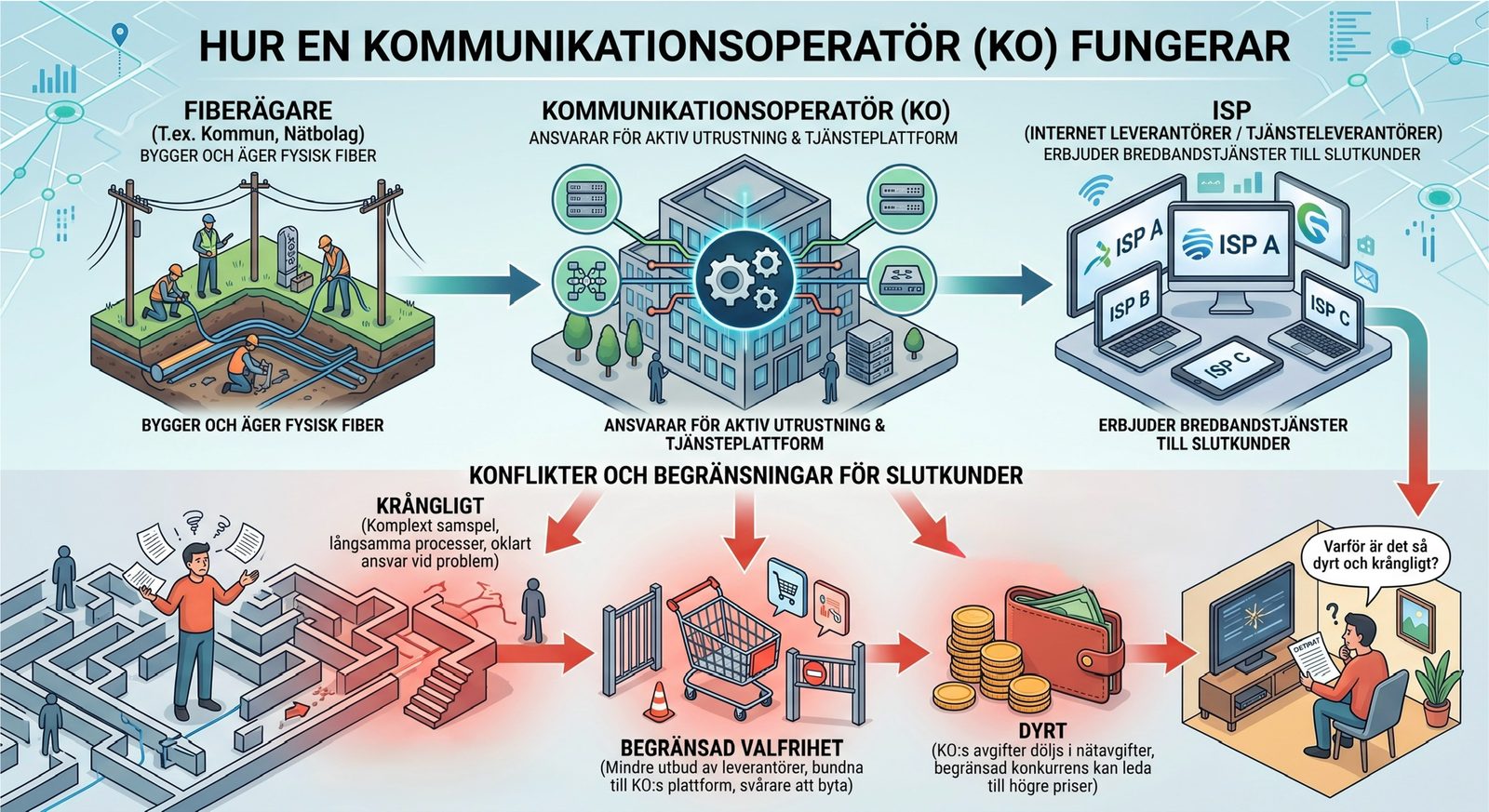
This means your service provider can have IPv6 in its own network and still be unable to deliver it to you, because the communications operator's platform doesn't pass it through. In that case, switching to another service provider on the same network won't help either.
So ask both your service provider and the network owner or communications operator, and ask for a straight answer about who is responsible.
4. In the meantime
- Mobile network. In Sweden, every mobile operator has enabled IPv6 except Telia. Test with your phone, or with a computer that shares your phone's connection.
- Tunnel. You can get IPv6 through a tunnel, for example from Route64, which also works behind CGNAT. It's a stopgap, but it goes a long way if you want to learn and experiment. More on that in I want to learn IPv6.
- Switch provider. If there's a provider that delivers IPv6 where you live, choose them, and tell your old provider why you're leaving.